

Digital marketing
Hire an email marketing virtual assistant for campaigns, lists and reports
An email marketing virtual assistant builds and sends your newsletters and campaigns, looks after your lists and reports on the results, all in your own email platform. These virtual assistant email marketing services start from about £6.50 an hour at the beginner level, rising with experience. We find the candidate and run four screening steps.
Before you start
- Four screening steps before you meet a candidate
- Hours tracked
- Earliest start within 48 to 72 hours of choosing a candidate
The email work an assistant takes on
Email still pays for itself when it goes out regularly to people who asked for it. The trouble is the routine: building, checking, sending, cleaning, reporting. An email assistant takes that routine on.
Campaigns
- Newsletters. Built in your template from the content you supply, checked and scheduled.
- Promotional emails. Offers and announcements set up for the right segment.
- Subject line tests. Two versions sent to a small part of the list, so you learn what works.
Lists
- Importing and tidying. New contacts added once, with the source recorded.
- Segments. Groups such as customers, prospects and lapsed subscribers.
- Unsubscribes and bounces. Removed promptly, so you stop emailing people who left.
Flows
- Automated sequences. A welcome series for new subscribers, or a follow up after a purchase, built once and checked.
Reports
- A regular report. Emails sent, delivered, clicked and unsubscribed, with one note on what to change.
Where the assistant stops
This role runs the emails; it does not write persuasive copy from scratch. For that, see the copywriting virtual assistant. For regular articles that feed the newsletter, see the content creation virtual assistant.
Other tasks this role covers
- Abandoned cart emails
- Re-engagement
Tools
Email assistants work in the platform you already pay for, such as Mailchimp, Klaviyo or Brevo, and may pull figures into a spreadsheet. Tell us which you use and we match the candidate to it.
What an email marketing virtual assistant costs
This role is priced per hour by experience, in pounds, at the Digital marketing level. A beginner level assistant starts from about £6.50 an hour, and the rate rises with experience. Your email platform's own subscription is separate. The pricing page lists the published roles, and the cost calculator lets you try your own hours.
A call to talk through your lists
Is an email marketing assistant right for you?
An email marketing assistant suits you if
- You have a list, or a way to build one, and want regular emails to go out.
- You already use an email platform, or are ready to choose one.
- You want a report you can read in five minutes.
Another role may suit you better if
- You mainly need the words written: a copywriting virtual assistant.
- You need regular articles to put in the email: a content creation virtual assistant.
- You want your social accounts looked after as well: a social media marketing virtual assistant.

A campaign calendar to copy
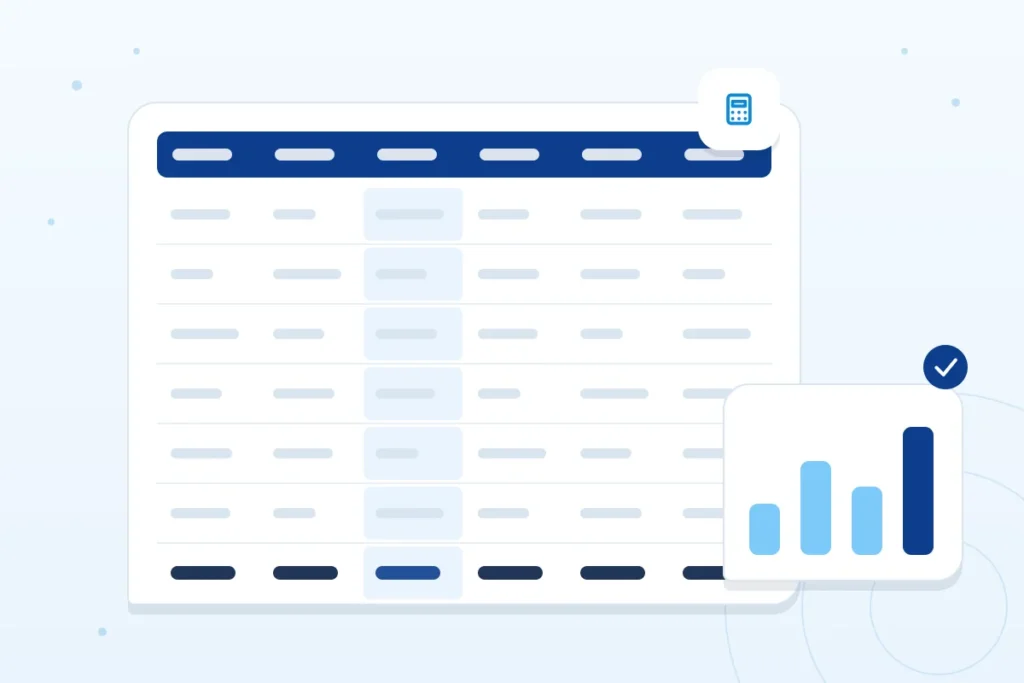
General guidance, not a promise about any one assistant. Plan a month in one table. A blank version looks like this.
| Date | Segment | Purpose | Subject line | Who approves | Status |
|---|---|---|---|---|---|
One row per send. If a row has no purpose, drop it.
The rules on who you may email
Two sets of guidance matter. The ICO says organisations normally must have consent before sending unsolicited marketing email to individual subscribers, must not use pre-ticked boxes or silence as evidence of consent, and must offer an opt-out in every message. A narrow exception, the soft opt-in, lets you market your own similar products to people whose details you collected, if you offered an opt-out when you did. Google’s email subscription guidelines ask senders to implement one click unsubscribe for subscription messages, honour unsubscribe requests within 48 hours and make sure recipients confirm their address after entering it on your site. This is general information, not legal advice.

A list hygiene checklist
- Each contact has a recorded source and date of consent.
- Every email has a clear way to unsubscribe, and unsubscribes are processed straight away.
- A suppression list keeps people who left from being re-imported.
- Bounced addresses are removed.
- Subscribers confirm their address when they sign up.
- Imports come from your own records, not bought lists.

What access to give
| Access | What it allows | How to limit it |
|---|---|---|
| Create and edit campaigns | Build and schedule emails | Sends need your approval until you trust the process |
| Edit lists and segments | Import, tidy and group contacts | Keep exports to people who need them |
| Edit automations | Change flows that send by themselves | Changes agreed with you first |
| Billing and plan | Pay for the platform | Keep with you |
| Domain and sending settings | Authenticate your sending address | Keep with you or your web person |

What you should receive
The email as it will appear, a test send to your own address before the real one, a record of who it went to, and a report afterwards. Keep the template and automations in your own account.
How the work is measured
Count sends delivered, clicks, unsubscribes and replies. Treat opens as a weak signal on their own, and clicks and replies as a stronger one. Compare each send with your own earlier sends, not with figures from elsewhere. This page gives no benchmark.
Quality checks before every send
- A test email has been opened on a phone.
- Links go to the right pages.
- The sender name and address are right.
- The unsubscribe link works.
- The segment is the one you meant.
Common mistakes
- Importing a list with no record of consent.
- Sending to everyone because segmenting takes time.
- Changing the subject line after the test.
- Forgetting that an automation is still running.
Worked example: a month of sending
Example only. The business is invented. A gym with one list plans four sends: a welcome email for new joiners, a weekly class timetable, a mid month offer to lapsed members and a month end summary of news. Each has a segment, a purpose and an approver in the calendar. After the month the report shows which sends were clicked and which lost subscribers, and the next month drops the weakest.

Questions to ask any email provider
- Which platform will you use, and who owns the account and the list?
- How do you record consent and process unsubscribes?
- Do I approve each send before it goes out?
- What will the report show, and how often?
What is included
The hourly rate covers the whole service: finding the candidate, the four screening steps below, setting up the email platforms and tools your assistant needs, hours tracked with tools such as Time Doctor, and our management of recruitment, payroll management and quality management. There is no separate recruitment fee.

How hiring works
We start with a free call about the work and the hours you have in mind. We shortlist candidates who have passed our screening, you interview them and you choose. The earliest start is within 48 to 72 hours of choosing a candidate.
Four screening steps before you meet anyone
- CV screening.
- A first interview on personality and the general benchmark criteria.
- A technical interview.
- A practical task, to test the candidate in the field.
Notice, replacement and fees
- In the first 3 months, you can end an unsuitable hire on one week’s notice.
- In the first days, you can tell us it is not right and we will replace them.
- After the first 3 months, the notice period is 1 month.
- Replacement is included in the ongoing fee for as long as you are paying, at no extra charge.
The full terms are set out on how it works.
Questions about hiring an email marketing assistant
Can a virtual assistant run my email newsletter?
Yes. An email marketing virtual assistant can build each issue in your template, check it, schedule it, tidy your list and report afterwards. You supply the content or ask for a draft, and approve each send. If the same content goes on social media, the social media marketing virtual assistant can take that side.
What do I need to give a virtual assistant to start on email?
Access to your email platform at the level you choose, your brand files and template, the list or a way to reach it, and a calendar of what you want to send. Keep billing and domain settings with you. The access table above sets out the usual limits.
Is it legal to email my list?
It depends on who is on it and how you got their details. The ICO says organisations normally need consent before sending unsolicited marketing email to individual subscribers, and every message must offer an opt-out. A narrow soft opt-in exists for your own similar products. This is general information, not legal advice, so check the ICO page for your case.
Related roles
Browse the copywriting virtual assistant, the content creation virtual assistant or the social media marketing virtual assistant. All of them sit in the Digital marketing virtual assistants family.
Get started
Prefer to write? Send an enquiry.
Tell us the role and the hours you have in mind, and we will reply to the email address you give.