

Video and design studios
Virtual assistants for video and design studios
A virtual assistant for a video or design studio supports production: briefs, file handling, review rounds, delivery formats and archiving. Editors, animators and designers can also be hired for the creative work itself. The studio keeps creative direction. Rates start at £4.50 an hour for admin and £6.00 for video editing.
Four screening steps before you meet a candidate
Hours tracked each month
Earliest start within 48 to 72 hours of choosing a candidate
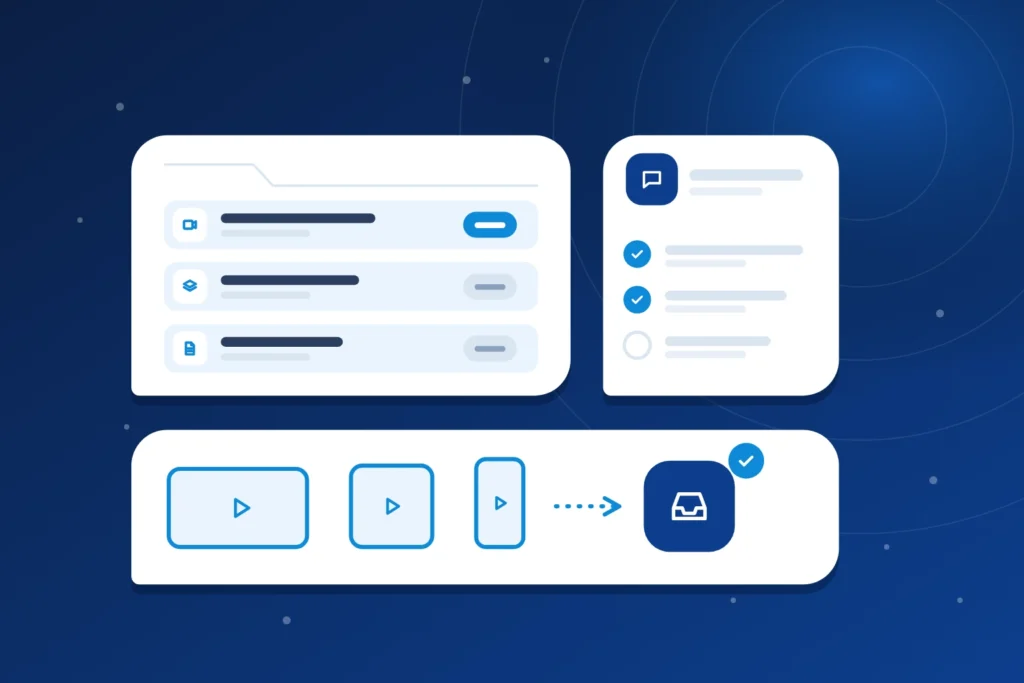
The production admin an assistant takes on

Creative studios rarely run short of ideas. They run short of clean hours. Files arrive in six places, feedback comes by email and chat, and every platform wants a different export. An assistant takes the repeat steps of a project and leaves the creative calls with you. The table follows one project from brief to archive.
| Stage | What an assistant can take | What the studio keeps |
|---|---|---|
| Brief | Turning the client brief into a checklist, logging assets requested and chasing what is missing | Reading the brief and shaping the idea |
| Files in | Receiving footage and artwork, renaming by your convention, checking nothing is corrupt | Choosing what is used |
| Production | Preparing project folders, proxies and templates, logging versions | Editing, animating and designing, unless you hire those roles |
| Review | Collecting feedback into one list per round, marking what is resolved, sending the next version | Deciding which changes to make |
| Delivery | Exporting to the specification, uploading, sending links and checking they play | Final approval of every file |
| Archive and billing | Archiving the project, logging licences, preparing the invoice from approved hours | Pricing and client relationships |
Files and versions
- One home for each project. A folder tree that every project copies, so nobody hunts for the latest cut.
- Version logs. A short note beside each version saying what changed and who asked for it.
- Backups of working files. Copying finished projects to the archive location you name, and checking the copy opens.
Review rounds
- One list per round. Merging comments from email, chat and review links, and removing duplicates.
- Conflicting notes. Flagging two comments that ask for opposite changes, so you decide before the edit starts.
- Round counts. Recording how many rounds the quote allowed, so you see when a project goes over.
Licences and records
- Rights log. Recording where each piece of music, stock footage, font and image came from, with the licence terms you have on file.
- Releases. Chasing signed releases and storing them with the project.
Roles that suit a studio
Production admin usually comes first. Add a creative role when the studio needs more hands on the work itself. A client can hire more than one assistant.
| Role | Suits | Beginner rate, per hour |
|---|---|---|
| Video editor | Cuts, captions, resizing for each platform, delivery exports | £6.00 |
| Animator | Motion graphics, explainers, social animation | £8.00 |
| Graphic designer | Layouts, social graphics, brand kits, thumbnails | £4.50 |
| Virtual admin assistant | File handling, review lists, diary and invoicing prep | £4.50 |
Studios that design for the web may also want the web design agencies page.
What it costs
The hourly rate follows the role and the experience level, not the sector. Part time is 80 hours a month (20 a week) and full time is 160 (40 a week). The fee is billed monthly, the exact price is confirmed in writing before you commit, and there is no separate recruitment fee. The grid below covers the three creative roles. The Graphic designer rate sits on the same grid as Admin and support, shown on the pricing page.
| Role | Experience level | Per hour | Part time, 80 hours a month | Full time, 160 hours a month |
|---|---|---|---|---|
| Video editor | Beginner (1 to 2 years) | £6.00 | £480 | £960 |
| Video editor | Intermediate (2 to 4 years) | £8.50 | £680 | £1,360 |
| Video editor | Expert (4 to 6 years) | £11.50 | £920 | £1,840 |
| Video editor | Pro (6 to 8 years) | £15.00 | £1,200 | £2,400 |
| Animator | Beginner (1 to 2 years) | £8.00 | £640 | £1,280 |
| Animator | Intermediate (2 to 4 years) | £11.00 | £880 | £1,760 |
| Animator | Expert (4 to 6 years) | £15.00 | £1,200 | £2,400 |
| Animator | Pro (6 to 8 years) | £20.00 | £1,600 | £3,200 |
| Graphic designer | Beginner (1 to 2 years) | £4.50 | £360 | £720 |
| Graphic designer | Intermediate (2 to 4 years) | £6.50 | £520 | £1,040 |
| Graphic designer | Expert (4 to 6 years) | £8.50 | £680 | £1,360 |
| Graphic designer | Pro (6 to 8 years) | £11.50 | £920 | £1,840 |
Try your own hours with the cost calculator.
On the call we talk through your studio and the hours you want.
A file naming convention to copy
General guidance, not a promise about any one assistant. Pick one pattern, write it down and apply it to every file. This example is invented.
| Part | Example | Rule |
|---|---|---|
| Client or job code | CLIENT01 | Set by you, used on every file |
| Project | Teaser | Short, no spaces |
| Asset type | Edit, Master, Social | From a short list you keep |
| Version | v03 | Two digits, never overwritten |
| Date | 2026-11-08 | Year first, so files sort in order |
A file would then read CLIENT01_Teaser_Master_v03_2026-11-08.mp4. Add the convention to the first brief you give the assistant, along with the folder tree.
Delivery formats and who owns the work
General information, not legal advice. Rules and platform guidance change, so check the source.
Formats. Each destination has its own specification. For uploads to YouTube, Google recommends an MP4 container with H.264 video. It advises keeping the frame rate used in recording, and gives 16:9 as the standard aspect ratio on a computer (YouTube Help, recommended upload encoding settings, read 8 November 2026). Broadcasters, festivals and clients publish their own sheets, so keep each one with the project and tell the assistant which applies.
Copyright. GOV.UK says the creator of a work is usually the first owner of its copyright. An employer is the first owner of work made by an employee, unless there is an agreement to the contrary. A person who commissions work does not automatically own it, and a change of ownership needs to be agreed in writing (GOV.UK, ownership of copyright works, read 8 November 2026). So your client contracts and your freelancer agreements should say who owns the finished work. The assistant keeps the rights log. It does not decide who owns what.
See our data protection page.
Example only: a small studio hands over its pipeline
Example only. The studio, hours and split are invented to show a handover. No real client is described, and this is not a quote or a result.
An imaginary five person studio hires a Video editor for 80 hours a month. It splits the time into 28 hours on file intake and project folders, 20 on review lists, 16 on delivery exports and uploads and 16 on archiving, the rights log and invoice prep. Because exports need editing software, the owner prices the block on the Video editor rate. At the beginner level, 80 hours at £6.00 an hour is £480 a month. At the intermediate level of £8.50, it is £680.
The owner supplies the folder tree, the naming convention and the delivery sheet for the first three clients. For the first month, a producer opens one delivered file per project to check the export. When the checks pass, the owner adds the next client.
A checklist before you hand over
General guidance, not a promise about any one assistant. Settle these points first.
- Where does each project live, and who may open the archive?
- What is the naming convention, and where is the folder tree template?
- Which delivery sheet applies to each destination?
- How many review rounds does a standard quote allow?
- Where is the rights log kept, and who signs off a licence?
- Does the assistant have a user of their own in each tool, rather than yours?
- Does a written agreement cover client files and personal data?
- Who checks the first delivered files, and for how long?
Is an assistant right for your studio?
An assistant suits you if
- Producers or creatives spend hours renaming files, merging feedback and exporting formats.
- You can describe your folder tree, your naming pattern and your delivery sheets.
- You want to start with production admin and add a creative role later.
Another option may suit you better if
- You need a director or art lead: that is a senior hire for your own team.
- You need people in the room for a shoot: use crew or an employee.
- You want a whole week of one person’s time: a full time virtual assistant.
How hiring works
The first step is a free call about the work, the tools and the hours. We shortlist candidates who have passed our screening, you interview them and you choose. Onboarding includes setting up the platforms and tools the assistant needs. Hours are tracked with tools such as Time Doctor, and we handle recruitment, payroll management and quality management. The earliest start is within 48 to 72 hours of choosing a candidate.
Four screening steps before you meet anyone
- CV screening.
- A first interview on personality and the general benchmark criteria.
- A technical interview.
- A practical task, to test the candidate in the field.
In the first 3 months, you can end an unsuitable hire on one week’s notice. In the first days, you can tell us it is not right and we will replace them. After the first 3 months, notice is 1 month. Replacement is included in the ongoing fee for as long as you are paying, at no extra charge. The full terms are on how it works.

Questions about virtual assistants for studios
How can a design studio use a virtual assistant?
A studio uses an assistant for production admin: file intake, naming, review lists, delivery exports, archiving and invoice prep. The studio keeps creative direction and final approval. The table above follows a project from brief to archive, and the virtual admin assistant page lists the wider admin tasks.
Can a virtual assistant do editing and design work?
Yes, if you hire the right role. The video editor, animator and graphic designer roles do creative production to your brief. An admin assistant supports the pipeline around it. Tell us which skills you need on the call.
Who owns the files and the copyright?
The creator is usually the first owner, and a person who commissions work does not automatically own it, according to GOV.UK. Ownership can change by written agreement, so put it in your contracts. The assistant keeps the rights log and does not decide ownership. This is general information, not legal advice.
How much does it cost?
Admin and support starts at £4.50 an hour at the beginner level, video editing at £6.00 and animation at £8.00. Part time is 80 hours a month and full time is 160. We confirm the exact price in writing before you commit. See the pricing page.
Related
See the other industries we support, read about graphic design virtual assistants, or compare pricing.
Get started
Prefer to write? Send an enquiry.
Tell us the role and the hours you have in mind, and we will reply to the email address you give.
Prefer to talk now? Call 07435 708864.