

How to delegate to a virtual assistant
To delegate well, list a typical week of your tasks, hand over the repeatable and rule based ones first, and give each task a written brief with the outcome, deadline, access and approval point. Then hold a short weekly review. Put your effort into the brief before anything else: a clear brief gives any assistant, whatever their experience, something to check the work against.
Written by the Pro Virtual Assist team. Last reviewed 8 November 2026.

Step 1: audit your week and decide what to hand over
Write down everything you do in a normal week, including the small jobs. Then mark each task with one of three labels.
- Repeatable. You do it the same way every time: sending invoices, updating a sheet, scheduling posts.
- Rule based. The steps change a little, but you could write down the rules: sorting an inbox, answering common questions.
- Judgement. It needs your view of the client, the price or the risk: negotiating, hiring, deciding strategy.
Delegate the first two groups first. Keep judgement work with you until the assistant knows your business.
A three question test for each task
Labels are quick, but a task can sit between them. Ask these three questions of every task on your list.
- Can you write the steps down?
- Does the task come round again, weekly or monthly?
- Would a mistake be easy to spot and low cost to put right?
| Steps can be written down | Comes round again | A mistake is low cost and visible | What to do |
|---|---|---|---|
| Yes | Yes | Yes | Hand it over now, with a brief |
| Yes | Yes | No | Hand it over, but keep an approval point before anything goes out |
| Yes | No | Yes | Hand it over as a one off, and keep the brief in case it returns |
| Yes | No | No | Do it yourself, or brief it very closely |
| No | Any | Any | Keep it until you can describe how you decide |
The last row is the one that surprises people. If you cannot say how you make a call, nobody else can copy it. Talk it through out loud a few times, write down what you said, and try again.
What people usually hand over first
Most first lists fall into five groups. The right hand column says what your brief must settle, because that is where each group goes wrong.
| Group | Examples | What the brief must settle |
|---|---|---|
| Inbox and diary | Sorting email, drafting replies to common questions, booking meetings | Which messages to answer, which to flag to you, the tone and the sign off |
| Research | Supplier comparisons, lists of prospects, a summary of a market | The question to answer, how many sources, the format of the answer |
| Admin and records | Invoicing, expenses, updating a spreadsheet or customer list | Where the data lives, the exact fields, what to do when something is missing |
| Content and social | Scheduling posts, tidying images, turning notes into a draft | Voice, words to avoid, who approves before it goes live |
| Customer follow up | Reminder emails, booking confirmations, chasing a reply | Who to contact, when to stop, what to pass back to you |
If you are not sure which role fits the tasks you have marked, the role finder can point you to one, and what a virtual assistant does maps common tasks to roles.
Step 2: write a brief for each task
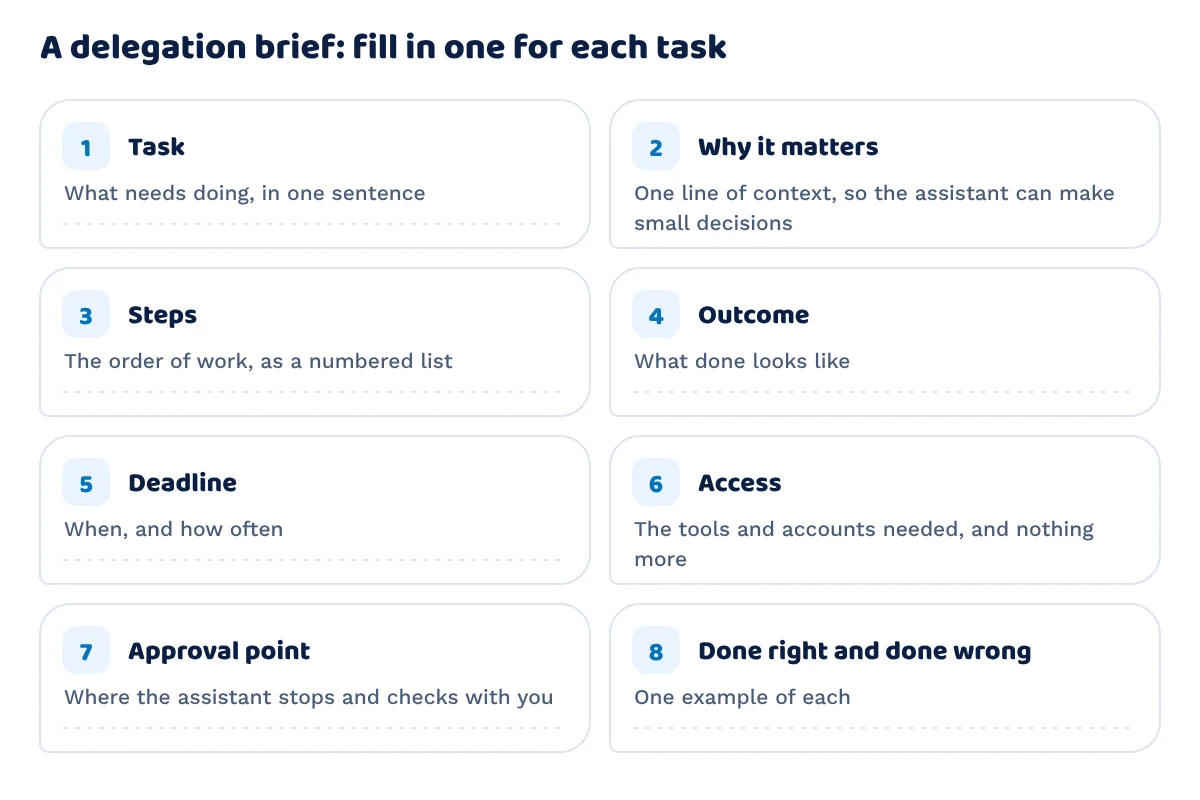
A brief is a few lines that remove guesswork. Copy this table and fill it in for each task you hand over.
| Part of the brief | What to write | Example (made up, to show the form) |
|---|---|---|
| Task | What needs doing, in one sentence | Send the weekly invoice reminder emails |
| Why it matters | One line of context, so the assistant can make small decisions | Late payment is our biggest cash flow worry |
| Steps | The order of work, as a numbered list | 1. Open the overdue list. 2. Skip anyone marked on hold. 3. Send reminder template B |
| Outcome | What “done” looks like | Every overdue customer has had a reminder |
| Deadline | When, and how often | Every Monday by midday |
| Access | The tools and accounts needed, and nothing more | Read access to the invoice list, send access to one shared mailbox |
| Approval point | Where the assistant stops and checks with you | Show me the first three emails before sending |
| Done right and done wrong | One example of each | Right: customer name, amount and due date all correct. Wrong: a reminder sent to a customer already marked on hold |
A weak brief and a strong one
This pair is made up. It shows how much a few extra lines change the result.
Weak: “Sort out the invoices.”
Strong: “Every Monday by midday, send reminder template B to each customer on the overdue list, except anyone marked on hold. Use the shared mailbox, not my own. Show me the first three emails before the first send. Afterwards, add the date you sent each one to the ‘last reminder’ column. If a customer replies, forward the reply to me and do not answer it.”
The weak version leaves six decisions to the assistant: which invoices, which customers, which wording, which mailbox, what to record and what to do about replies. The strong version settles them in four sentences.
Turn repeat tasks into a standing procedure
If a task repeats, record a short screen video of yourself doing it once, talking through each choice. Write the steps beside the video and keep both in one shared folder. The brief then becomes a procedure that outlasts any one person, and you do not start from nothing if the assistant changes. A written brief is also what you check the work against.
Step 3: give the right access
Give access to the tools the task needs and no more. Use a shared login manager or separate user accounts where the tool allows them, instead of passing one password around. Write down which accounts the assistant can use and which are off limits.
| The task involves | A sensible level of access |
|---|---|
| Reading information | View only |
| Updating a sheet or a customer list | Edit on that file or list, not the whole account |
| Sending email for you | A shared mailbox or a send as setting, not your own login |
| Posting publicly | Draft or schedule rights, with your approval before it goes live |
| Money | Prepare payments if you must, but keep approval and any change of bank details with you |
If a task touches customers’ personal data, UK data protection law still applies to what you share. Our page on data protection is worth reading before you decide what to share.
When the work ends, remove the access. Keep a short list of every account you opened, so closing them takes minutes instead of a search.
At onboarding, we set up the platforms and tools your assistant needs. Hours are tracked with tools such as Time Doctor, where the assistant starts the timer when they begin work and pauses it when they stop or take a break.
Step 4: check the work without hovering
Checking the work and watching the person are different. You can do the first without the second.
- Agree outputs, not activity. Judge the invoice list, the report or the edited video, not how long each step took.
- Set approval points early, then relax them. Ask to see the first few pieces of any new kind of work. Once they are right, move to spot checks.
- Check a sample. Open one item in ten, or all of them in week one and a few afterwards.
- Say what was right as well as what was wrong. The assistant learns what to repeat.
- Fix the brief before you blame the person. When the same error comes back, change the brief or the procedure, then see if it stops.
A weekly review keeps this light. Use this agenda for 20 to 30 minutes:
- What was finished this week?
- What is stuck, and what do you need from me?
- What should come off your list, or go on it, next week?
- One thing I could brief better.

Your first four weeks
A new task needs close checking at the start and less as it proves itself. This is a starting point to adjust, not a rule, and the lengths are guidance for your own diary.
| Week | How often to check | How much to check | Aim |
|---|---|---|---|
| 1 | A short check each working day | Every item | Find gaps in the brief while they are low cost to fix |
| 2 | Every other day | Half the items | Confirm the fixes held |
| 3 | Twice in the week | A sample, such as one item in five | Move from correcting to confirming |
| 4 onwards | Once a week, in the weekly review | One item in ten | Spend the time on what comes off or goes on the list |
Add new kinds of work one at a time. If you brief three new tasks in the same week, you will not know which brief caused a problem.
Five delegation mistakes and their fixes
| Mistake | What it looks like | Fix |
|---|---|---|
| Handing over an outcome with no method | “Get me more leads” | Give the steps, or ask for a plan first and approve it |
| Skipping feedback | Redoing the work yourself in silence | Say what changed and why, once, in the weekly review |
| Checking everything for ever | Opening every item in month three | Move to spot checks on a date you set in advance |
| Delegating judgement too soon | Asking for a decision you could not explain | Keep it until you can write down how you decide |
| Keeping the knowledge in your head | “Just do it like I do” | Record a screen video and write the steps down |
A worked illustration
This is an example with made up figures, not a result and not a claim about what any business will save. Change the numbers to your own.
Suppose your audit finds 20 hours a week of repeatable and rule based work. That is the size of a part time virtual assistant, which is 20 hours a week, or 80 hours a month. At the base rate for an admin and support assistant, £4.50 an hour, 80 hours costs £360 a month, before any uplift for experience.
The time saving calculator lets you enter your own tasks and hours instead. Its starting values are examples. If you want the cost for a particular role and level, use the cost calculator.
Questions
How do I delegate to a virtual assistant?
Write a short brief for each task: what needs doing, what done looks like, the deadline, the access needed and where the assistant should check with you. Start with repeatable tasks, give access only to the tools the task needs, and hold a weekly review. The brief template above is ready to copy.
What should I delegate first?
Start with tasks that repeat and follow set steps, such as scheduling, data entry, inbox sorting or sending reminders. They are easy to describe and easy to check. Keep decisions that depend on your judgement until the assistant knows your business. The audit in step 1 sorts your tasks, and the role finder suggests a role.
How do I check the work without micromanaging?
Agree what a finished piece of work looks like in the brief, ask to approve the first few items of any new task, then move to spot checks. Judge outputs, not activity. A short weekly review covers what was finished, what is stuck and what comes next. Read step 4 for the agenda and the four week plan for how often to check.

Ready to get started?
Tell us what you need and we will recommend the right person or team.
Ready to write the role down? The virtual assistant job description generator turns the tasks you tick into a draft you can copy and edit.
Get started
Prefer to write? Send an enquiry.
Tell us the role and the hours you have in mind, and we will reply to the email address you give.